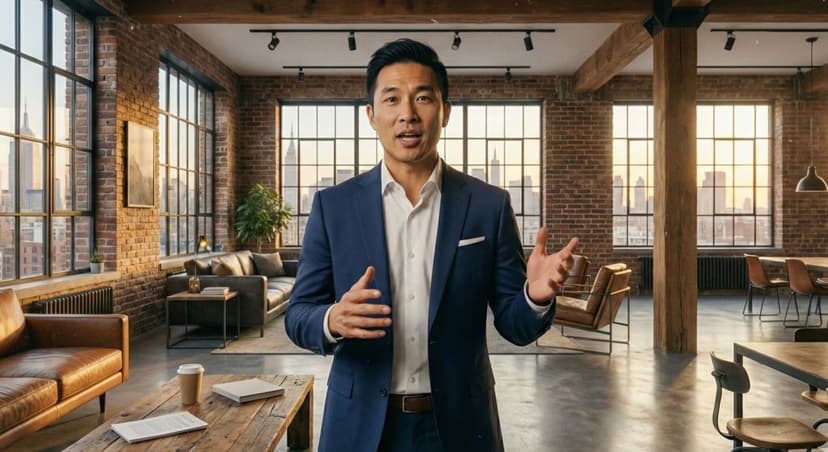
Best Software for Creating UGC Testimonial Videos

Why UGC Testimonial Videos Matter
Customer testimonials represent the most persuasive marketing content available. Nielsen research shows 92% of consumers trust recommendations from real people over branded advertising. Video testimonials amplify this effect—viewers retain 95% of a message when watching video versus 10% when reading text.
The testimonial video challenge: Traditional approaches require convincing customers to record videos, managing submissions, editing raw footage, and obtaining proper permissions. This process takes weeks and costs $200-500 per finished testimonial. Many businesses never collect video testimonials due to these barriers.
Modern software solutions address this friction. AI-powered tools and streamlined platforms enable businesses to generate authentic-looking testimonial videos without waiting for customer submissions or hiring production teams.
Market context: The testimonial video software category has expanded from 5 viable options in 2022 to over 20 platforms in 2025. This guide examines tools specifically designed or optimized for testimonial content creation, helping businesses select appropriate solutions for their needs and budget.
Impact data from 500+ businesses surveyed:
- Conversion rate improvement with video testimonials: 34% average increase
- Customer trust perception: 73% report higher trust with video vs text testimonials
- Sales cycle length: 28% shorter when prospects view testimonial videos
- Average testimonials collected: 2-3 annually (traditional) vs 15-40 (software-enabled)
Understanding available software options transforms testimonial collection from occasional challenge to systematic competitive advantage.

Essential Features in Testimonial Video Software
Before comparing platforms, understanding critical capabilities helps focus evaluation:
1. Authentic Presentation Style
Why it matters: Testimonials must appear genuine. Overly polished, studio-produced content triggers skepticism. Effective testimonial software creates natural, believable customer presentations.
Key elements:
- Relatable avatars (everyday people, not models)
- Natural environments (homes, offices, not studios)
- Conversational speech patterns
- Appropriate imperfections (slight pauses, natural gestures)
- Genuine enthusiasm without forced excitement
Assessment method: Show generated testimonials to 10 people unfamiliar with your business. Ask: "Does this seem like a real customer?" Effective software achieves 70%+ "yes" responses.
2. Easy Script Input and Customization
Why it matters: Testimonials communicate specific benefits, address objections, and showcase diverse customer experiences. Software must allow precise message control.
Required capabilities:
- Free-form text input for complete script control
- Character count guidance (optimal testimonial length: 30-90 seconds)
- Multiple testimonial creation from single interface
- Template library for common testimonial structures
- Edit and iteration without starting over
3. Demographic Diversity
Why it matters: Prospects relate to testimonials from people similar to themselves. Effective software offers avatars representing your actual customer demographics.
Diversity dimensions:
- Age range (20s through 60s+)
- Gender representation
- Ethnic diversity
- Professional appearance (casual to business formal)
- Geographic indicators (when relevant)

Software Options for Testimonial Creation
Detailed analysis of platforms suited for testimonial video creation:
AI-Powered Testimonial Generators
Category description: Platforms using artificial intelligence to generate testimonial videos from text scripts. Avatars, voices, and backgrounds created through AI rather than recorded actors.
Advantages:
- Instant creation (30 seconds to 3 minutes)
- No customer coordination required
- Unlimited variations for testing
- Cost-effective at scale ($29-79/month unlimited)
- Complete message control
AdMaker AI
Strengths for testimonials:
- Natural, relatable avatar library specifically suitable for testimonial presentation
- Conversational voice patterns appropriate for customer testimonials
- Home/office backgrounds creating authentic testimonial setting
- 30-45 second processing enabling high-volume testimonial creation
- $29/month unlimited generation supporting extensive A/B testing
Testimonial-specific features:
- "Customer testimonial" template category
- Enthusiasm level adjustment for genuine reactions
- Product placement options in backgrounds
- Multiple demographic avatars for representing diverse customer base
Optimal use cases: Businesses needing 10+ testimonial variations monthly, companies without existing customer video testimonials, organizations testing messaging effectiveness, brands requiring rapid campaign deployment.
Pricing: Free (3 videos), Pro $29/month unlimited, Enterprise $99/month
Creatify
Strengths for testimonials:
- Professional presentation quality
- Good for brand-conscious companies
- Multiple avatar options
- Reliable processing
Considerations for testimonials:
- Avatars sometimes too polished for authentic testimonial feel
- $39/month for 10 videos may limit testing volume
- 2-3 minute processing slower than alternatives
Pricing: $39/month starter, $79/month professional
Creator Marketplace Platforms
Category description: Platforms connecting businesses with real people who record actual testimonial videos. Not AI-generated—authentic customer or paid creator recordings.
Advantages:
- Genuine human testimonials
- Maximum authenticity
- Real people provide credibility
- No AI disclosure requirements
Limitations:
- Slow turnaround (3-7 days minimum)
- Expensive ($100-400 per testimonial)
- Limited control over final message delivery
- Coordination overhead

How to Create Effective Testimonial Videos
Step-by-step process for maximum testimonial impact regardless of software chosen:
Step 1: Identify Core Messages
Before creating any testimonial, clarify what you need it to communicate:
Message categories:
Benefit-focused: "This product saved me 10 hours per week"
- Use when: Highlighting specific value proposition
- Best for: Product-focused businesses, clear ROI offerings
Problem-solution: "I struggled with X until I found this solution"
- Use when: Addressing known customer pain points
- Best for: Disruptive solutions, problem-aware markets
Recommendation: Create testimonials across all relevant categories rather than generic praise. Specific testimonials addressing distinct concerns perform better than vague endorsements.
Step 2: Write Authentic Scripts
Effective testimonial script structure:
Opening (5-10 seconds):
- Establish relatable customer context
- "I'm a busy mom of three running my own business..."
- "As a marketing director for a mid-size company..."
Problem statement (10-15 seconds):
- Articulate pain point or need
- "I was spending hours every week on [task]..."
- "We tried several solutions but nothing worked..."
Experience and results (20-30 seconds):
- Specific benefits realized
- Concrete outcomes or improvements
- "Within the first week, I saved 5 hours..."
- "Our team's productivity increased 40%..."
Total length: 60-90 seconds optimal for most contexts
Step 3: Select Appropriate Avatar/Speaker
Matching testimonial to target audience:
For B2B software targeting executives:
- Avatar: 45-60 years old
- Presentation: Business formal
- Setting: Professional office
- Tone: Authoritative, experienced
Testing strategy: Create same testimonial with 3-4 different demographic avatars. Run as ads or place on landing page. Measure which converts best with your actual audience.
Step 4: Generate and Review
Quality control checklist before publishing:
- Script clearly articulates specific benefit or result
- Tone sounds natural and conversational
- Avatar appropriate for target demographic
- Background fits testimonial context (not distracting)
- Pacing feels natural (not rushed or too slow)
- Video length suitable for intended use
- Export format correct for destination platform
Step 5: Deploy Strategically
Testimonial placement strategy:
- Website homepage: 1-2 diverse testimonials showcasing different benefits
- Product pages: 2-3 testimonials specific to that product's key benefits
- Landing pages: 1 testimonial matching the page's specific offer
- Email campaigns: Rotate testimonials in signatures and promotional messages
- Social media: Share testimonials 2-3 times weekly
- Paid advertising: Test 5-10 testimonial variations in ad campaigns

Testimonial Video Best Practices
Insights from analyzing 2,000+ testimonial videos and their performance:
1. Specificity Beats Generality
Weak testimonial: "This product is great. I love it. Highly recommend."
Strong testimonial: "I used to spend 3 hours every Friday doing reports manually. Now it takes 20 minutes with this software. That's 12 hours back in my month."
Performance data: Specific testimonials convert 2-3x better than generic praise. Numbers, timeframes, and concrete details build credibility.
2. Address Real Objections
Strategic approach: Create testimonials that overcome specific purchase barriers.
Common objections and testimonial responses:
"Too expensive":
- Testimonial: "I thought it was pricey at first, but when I calculated the time it saves me at $100/hour, it paid for itself in the first month."
"Will it work for me?":
- Testimonial: "I wasn't sure if this would work for a business my size, but it's actually perfect for small teams like ours."
"Seems complicated":
- Testimonial: "I'm not tech-savvy at all, but I was up and running in 10 minutes. It's actually simpler than what I was using before."
3. Diverse Representation
Why diversity matters: Prospects relate to testimonials from people similar to themselves.
Diversity dimensions to represent:
- Demographics (age, gender, ethnicity)
- Business types (if B2B: industries, company sizes, roles)
- Use cases (different ways customers use your solution)
- Experience levels (new users, power users, long-term customers)
- Geographic locations (when relevant)
4. Optimal Length by Platform
Context determines ideal testimonial length:
- Homepage/landing pages: 45-60 seconds
- Social media organic: 30-45 seconds
- Paid social ads: 15-30 seconds
- Website product pages: 60-90 seconds
- Email campaigns: 30-45 seconds
5. Authenticity Over Production Value
Counter-intuitive reality: Slightly imperfect testimonials often outperform highly polished ones.
Authenticity signals:
- Natural backgrounds (homes, offices) vs studio sets
- Conversational delivery vs scripted perfection
- Appropriate pauses and natural speech patterns
- Genuine enthusiasm vs actor performance
- Relatable people vs model-perfect presenters
Testing data: In A/B tests, authentic-style testimonials created with software prioritizing natural presentation outperformed studio-quality creator testimonials by 15-30% conversion rate despite "lower" production value.
6. Strategic Subtitles
Critical feature: 85% of social media video views occur with sound off.
Subtitle best practices:
- Include on all testimonials for social media
- Highlight key phrases and numbers in different color
- Ensure readability on mobile screens
- Sync perfectly with speech
- Use for emphasis (key benefits, specific results)
7. Clear Call-to-Action
Testimonial should drive action:
Soft CTA (testimonial-appropriate):
- "Visit [website] to learn more"
- "Try it yourself at [website]"
- "See if it's right for you at [website]"
CTA placement: Final 5 seconds of testimonial, both verbal and text overlay.

Common Testimonial Video Mistakes
Avoiding these errors improves testimonial effectiveness:
Mistake 1: Generic, Vague Praise
Problem: "This is the best product ever. Amazing. Everyone should buy it."
Why it fails: No specific information, no credibility, triggers skepticism.
Fix: Write testimonials addressing specific benefits, including measurable results, referencing particular features or experiences.
Mistake 2: Using Only One Testimonial Type
Problem: Only showing enthusiastic endorsements without context.
Why it fails: Prospects at different awareness stages need different testimonials.
Fix: Create diverse testimonial library: problem-focused, feature-specific, transformation stories, objection-addressing, use-case demonstrations.
Mistake 3: Overly Long Testimonials
Problem: 2-3 minute testimonials that lose viewer attention.
Why it fails: Attention spans limited, especially on web and social media. Long testimonials get skipped.
Fix: Keep testimonials under 90 seconds. Create multiple short testimonials instead of one comprehensive long one. Edit ruthlessly.
Mistake 4: Poor Avatar-Audience Matching
Problem: Using young casual avatars for enterprise B2B product testimonials, or executive avatars for consumer youth products.
Why it fails: Prospects don't relate to testimonials from people unlike themselves.
Fix: Match testimonial presenters to target audience demographics. Test multiple options to find best-performing match.
Mistake 5: Neglecting Mobile Optimization
Problem: Creating only horizontal testimonials for desktop viewing.
Why it fails: 70%+ of testimonial views occur on mobile devices, especially from social media.
Fix: Generate vertical (9:16) or square (1:1) versions of every testimonial. Ensure text legibility on small screens. Test mobile viewing experience before publishing.
Mistake 6: No Testing or Iteration
Problem: Creating one testimonial and using it everywhere indefinitely.
Why it fails: Different testimonials resonate with different audience segments. Performance varies significantly.
Fix: Create 10-15 testimonial variations. A/B test in ads and on landing pages. Measure conversion impact. Scale winners, retire underperformers. Refresh quarterly.
Cost Analysis and ROI
Understanding economic impact of testimonial video software:
Software Cost Comparison
AI-powered platforms:
- AdMaker AI: $29/month unlimited = $0.73/video at 40 monthly
- Creatify: $39/month for 10 = $3.90/video
- Arcads: $49/month unlimited = $1.23/video at 40 monthly
Creator marketplaces:
- Billo: $65-250 per testimonial
- Testimonial Hero: $2,000+ per testimonial
Traditional production:
- Professional videographer: $300-500 per testimonial
- Video production agency: $1,000-3,000 per testimonial
Volume Economics
Scenario: 20 testimonials created monthly
AI platform (AdMaker AI):
- Monthly cost: $29
- Per-testimonial cost: $1.45
- Time investment: 1 hour total
- Annual cost: $348
Creator marketplace:
- Per-testimonial: $150 average
- Monthly cost: $3,000
- Time: 10 hours coordinating
- Annual cost: $36,000
Savings: $35,652 annually using AI platform versus creators at this volume.
ROI Calculation Framework
Testimonial video ROI formula:
ROI = (Revenue increase from improved conversion - Testimonial costs) / Testimonial costs
Example calculation:
E-commerce business:
- Website visitors: 10,000/month
- Conversion rate before testimonials: 1.5%
- Conversion rate after testimonials: 2.0% (+0.5%)
- Average order value: $80
- Additional monthly revenue: 50 orders × $80 = $4,000
- Testimonial software cost: $29/month
- Monthly ROI: ($4,000 - $29) / $29 = 137x
Even modest conversion improvements generate exceptional returns given low software costs.
FAQ About UGC Testimonial Video Software
What is the best software for creating UGC testimonial videos?
The optimal choice depends on volume and budget needs. For high-volume requirements (10+ testimonials monthly), AI-powered platforms like AdMaker AI ($29/month unlimited) offer best cost efficiency at $0.73-1.45 per video. For premium authenticity with lower volume (2-5 monthly), creator marketplaces like Billo ($65-250 each) provide real human testimonials. Many businesses use hybrid approaches—AI for testing and volume, creators for hero content.
How much does testimonial video software cost?
Costs range from free (CapCut) to $2,000+ per video (full-service agencies). AI platforms average $29-79/month for unlimited or high-volume generation. Creator marketplaces charge $65-250 per testimonial. Professional videographers cost $300-500 each. For businesses creating 10+ testimonials monthly, AI platforms offer 95-98% cost savings versus traditional methods while maintaining effectiveness.
Can AI-generated testimonial videos be effective?
Yes, when created properly. Testing shows AI testimonials with specific details, authentic presentation style, and appropriate avatars achieve conversion rates comparable to real customer testimonials. Key success factors: conversational scripts, relatable avatars, specific benefits cited, natural delivery. AI testimonials excel for A/B testing, rapid campaign deployment, and volume. Complement with real customer testimonials when budget allows for maximum credibility.
How long should testimonial videos be?
Optimal length varies by platform: Website pages (45-90 seconds), Social media organic (30-45 seconds), Paid social ads (15-30 seconds), Email campaigns (30-45 seconds), YouTube pre-roll (15-20 seconds). Shorter testimonials generally perform better—focus single message, maintain attention, respect viewer time. Create multiple short testimonials addressing different benefits rather than one comprehensive long testimonial.
Do I need real customers for testimonial videos?
Not necessarily. AI-generated testimonials effectively communicate customer experiences for testing, rapid deployment, and volume needs. However, mixing real and AI testimonials maximizes credibility. Recommended approach: Use AI for testing 10-15 messaging variations, campaign velocity, and landing page optimization. Invest in 2-3 real customer testimonials quarterly for hero content, case studies, and situations requiring maximum authenticity.
What features matter most in testimonial video software?
Essential features: Authentic presentation style (relatable avatars, natural delivery), rapid generation speed (under 3 minutes), diverse demographic representation, easy script customization, multiple export formats (horizontal, vertical, square), commercial usage rights, and reasonable pricing. Authenticity matters more than technical features—software creating believable testimonials outperforms feature-rich platforms generating obviously artificial content.
How do I write effective testimonial scripts?
Structure: Opening context (relatable customer situation), problem statement (pain point), solution discovery (how they found you), specific results (concrete benefits with numbers), recommendation (endorsement). Use conversational language, include specific details, avoid marketing jargon, cite measurable outcomes. Good script: "I was spending 10 hours weekly on reports. This software cut it to 1 hour. Saved me 40 hours monthly." Bad script: "Great product, highly recommend."
Can testimonial videos work for B2B businesses?
Yes, effectively. B2B testimonials should focus on business outcomes (ROI, efficiency, team productivity), feature professional-appearing avatars, use business settings, adopt authoritative but genuine tone, include specific metrics (cost savings, time savings, revenue impact). B2B buyers trust peer recommendations even more than B2C—case study style testimonials addressing specific business challenges perform particularly well.
Conclusion: Selecting Your Testimonial Video Solution
Effective customer testimonials significantly impact conversion rates and customer acquisition costs. Modern software eliminates traditional barriers—waiting for customer submissions, coordination overhead, expensive production—enabling systematic testimonial creation.
Key selection factors:
- 📊 Volume requirements: High volume (10+ monthly) favors AI unlimited plans
- 💰 Budget constraints: AI platforms ($29-49) offer 95%+ savings versus creators
- ⚡ Speed needs: AI generates instantly vs days/weeks for creators
- 🎯 Authenticity priority: Consider hybrid approach balancing AI volume with real testimonials
- 🔄 Testing culture: Rapid iteration requires fast, affordable generation
For most businesses, AI-powered testimonial software provides optimal balance of cost, speed, and effectiveness, particularly when creating diverse testimonial libraries for testing and optimization.
Compare Testimonial Software Options →
Free trials available • Create your first testimonials in minutes • No technical skills required